For solar EPC companies, rooftop solar installers and inverter dealers
Solar and inverter installation business software, from roof survey to years of O&M
A rooftop solar project passes through many hands: the salesperson, the surveyor, the design and purchase team, the installation crew and, later, the service team. CamVerion keeps the customer, the quote, the jobs, the payments and every service visit on one record.
Plans from $49 a month for up to 10 users. Every feature on every plan.
Solar projects have many stages and many people
Between the first enquiry and the final payment, a solar project needs a roof survey, a quote, often a revised quote, material purchase, installation, testing and paperwork, with payments collected at each stage. Then come cleaning visits and service calls for years after.
Solar EPC software gives each stage an owner and a status. The office can see which projects are waiting for material, which are being installed and which customers still owe their final payment, without ringing the site.
One flow, from first call to final payment
Each stage creates what the next one needs, so nothing is typed twice.
-
Step 1
Enquiry
Record every enquiry with its source and the customer's monthly bill or required capacity.
How it works -
Step 2
Roof survey
Assign a surveyor to check roof area, shading and cable routes. Their notes go straight to the quote.
How it works -
Step 3
Quote
Quote from saved system packages, such as a 3 kW or 5 kW rooftop system, then adjust for the roof.
How it works -
Step 4
Order and jobs
An approved proforma creates purchase and installation jobs, so material and crews are planned together.
How it works -
Step 5
Scheduling
See each crew member's day and book installations into free slots, with leave already blocked out.
How it works -
Step 6
Invoice
Invoice from the order without retyping, with your own numbering and tax on every line.
How it works -
Step 7
Stage payments
Record the advance, the payment on installation and the final balance, and see who still owes what.
How it works -
Step 8
O&M and service
Log cleaning visits and faults as service calls, assign a technician and keep each site's history.
How it works
Keep projects moving
See where every project has reached
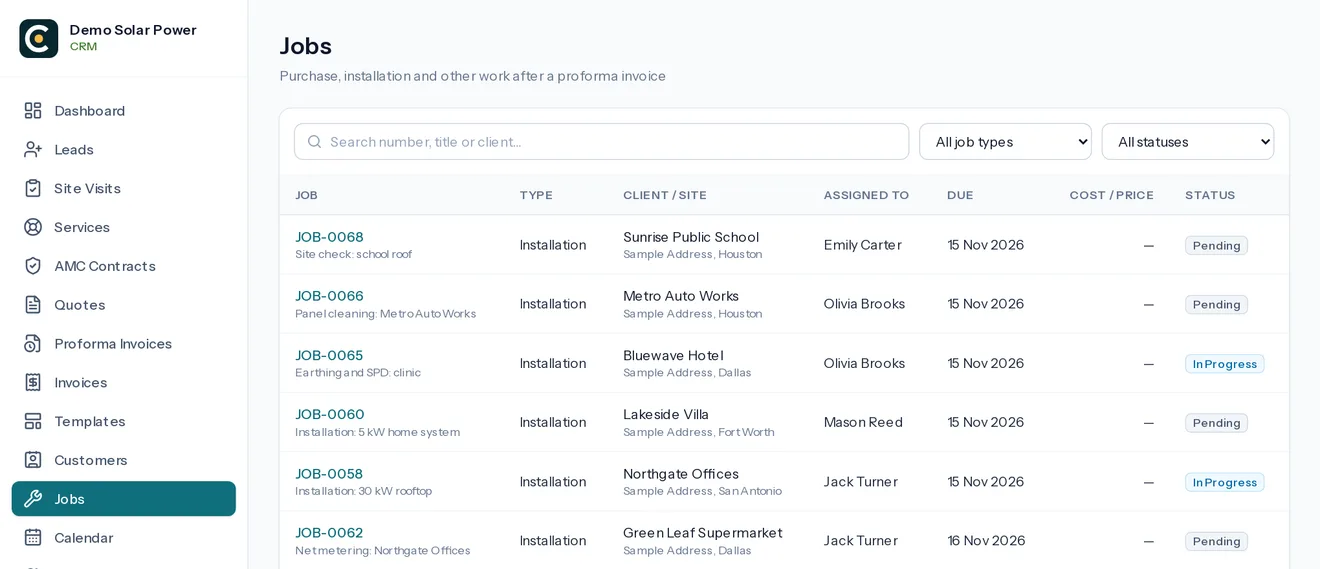
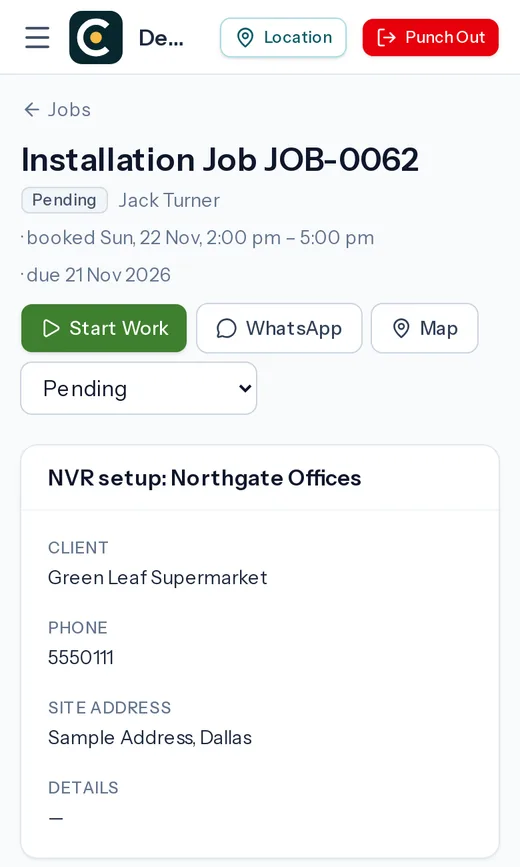
Each installation job shows who is assigned, when it is due and its status. Crews add photos and notes from the roof, so the office knows what is finished without a phone call.
- Your own job types, such as purchase, installation and testing
- Pending, In Progress, Hold, Completed and Approved
- Real hours recorded with Start and End Work
Collect every stage payment
Know exactly what each customer owes
Solar projects are usually paid in stages. Every payment updates the invoice and the customer's balance, so the final payment is not forgotten after the system is running.
- Advances and part payments recorded in seconds
- Invoices and receipts sent by WhatsApp or email
- Unpaid invoices visible on the owner dashboard
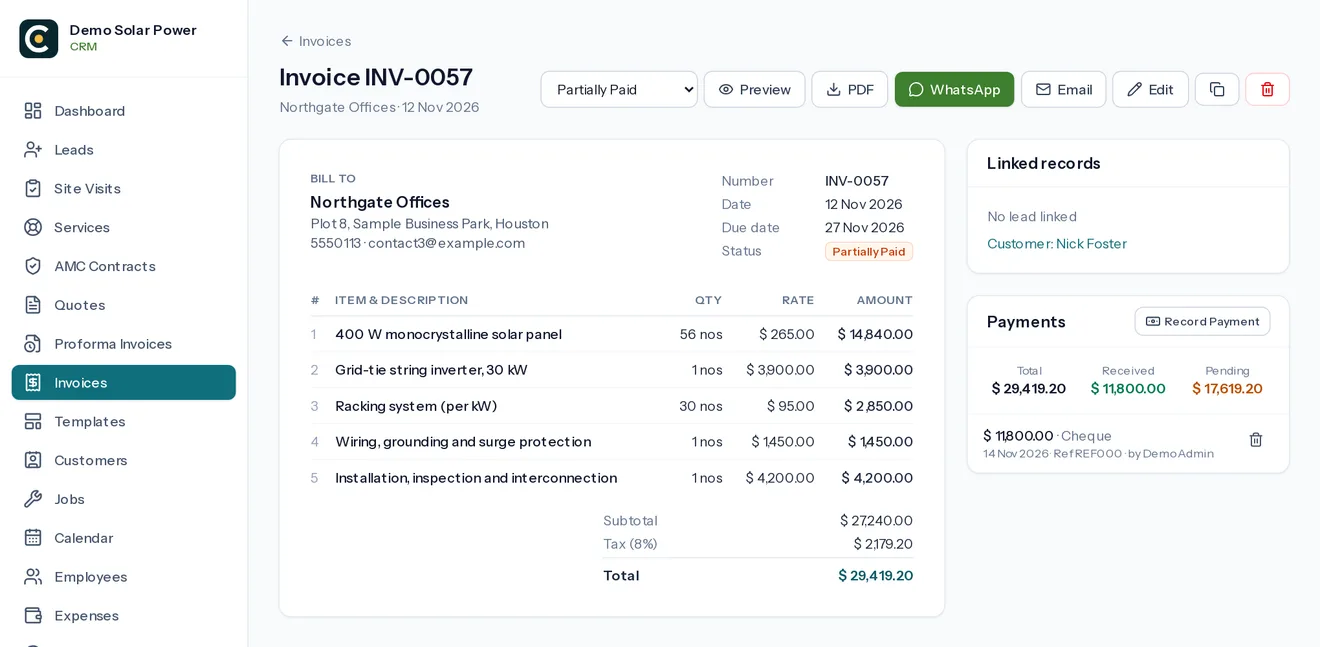
Screens are from the real software, with made-up demo data.
Everything your solar and inverter business uses day to day
-
Enquiries and follow-ups
Homes, factories and schools asking about rooftop solar, inverters or batteries, each with a next step.
-
Roof surveys
Roof area, shadow, structure and load noted on site, with the location captured.
-
kW quotes
Panels, inverter, structure, cabling and installation priced from your catalogue.
-
Project jobs
Structure, panels, wiring, net metering and commissioning as jobs on one project.
-
Crew calendar
Crews booked by day, with leave already blocked out.
-
Inverter and battery service
Grid faults, low generation and battery complaints followed to the end.
-
O&M contracts
Panel cleaning and inspection visits created from each O&M contract.
-
Service request link
Customers report an inverter fault themselves, with their location.
-
Field staff tracking
Punch in, Capture Location on each roof, and the Locations report.
-
Hours per job
Start Work and End Work show what each installation really took.
-
Stock of panels and inverters
Optional inventory of panels, inverters, batteries, structure and cable.
-
Stage payments
Advance, material delivery and commissioning payments on one record.
Field team tracking
Know where your installation crews are, and the hours they really worked
Solar crews spend whole days on roofs far from the office. With punch in, Capture Location and Start Work on each job, you can see which sites they reached, how long structure and panel work really took, and which jobs ran over, without waiting for the evening phone call.
-
Capture Location
Your installation crews press Capture Location on their phone, and the office sees where they were and when on the Locations report. Ask them to capture it at every client, or every hour, so you can check visits at random instead of phoning around. -
Punch in and out with location
Attendance starts with a punch in that records the time and place, and ends with a punch out. A forgotten punch out closes automatically at the end of the day, so the attendance report is ready for payroll. -
Start Work and End Work on each job
Pressing Start Work on a job or service call starts the clock and End Work stops it. Admins see the hours each person spent on each job, so you can price the next one properly and spot hours that were claimed but not worked. -
Approve new device login
Switch it on, and each person can sign in only from their one approved phone or computer. A login from any other device waits for the admin's approval, so logins are not shared and attendance is marked by the right person. Choose field staff only, or everyone except admins.
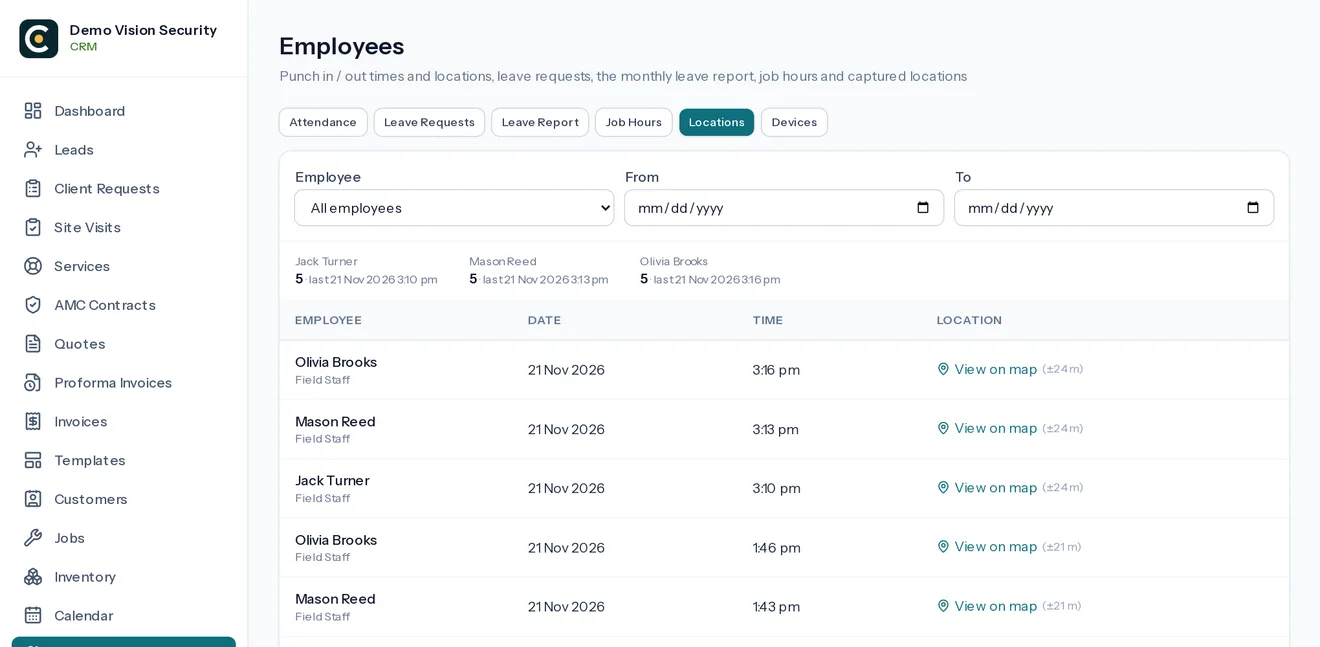
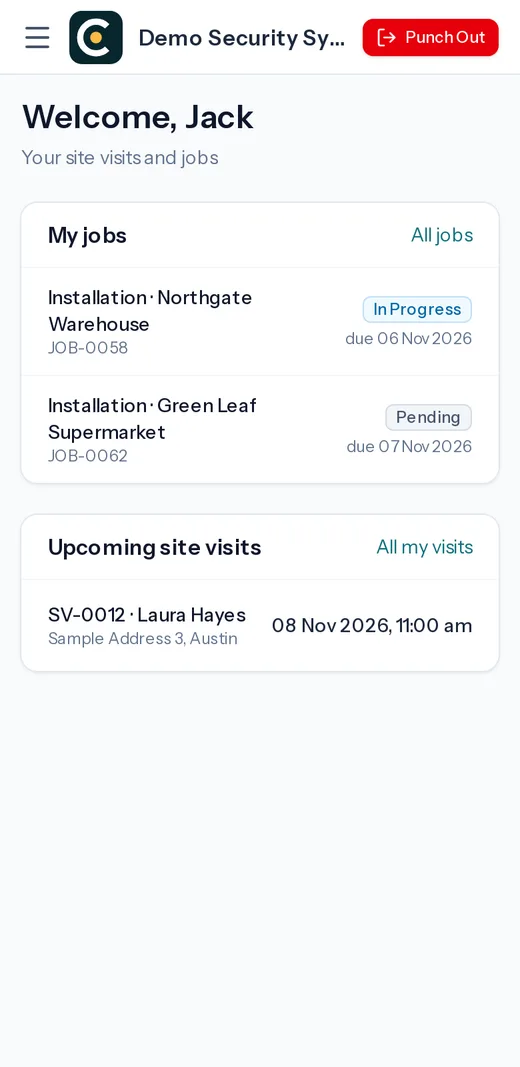
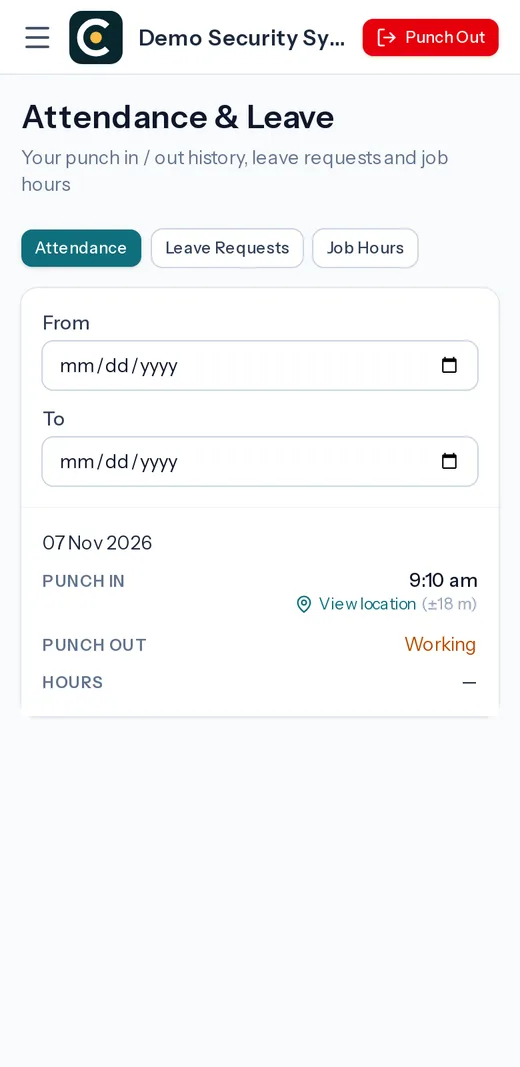
Locations are taken only when staff punch or press Capture Location, never in the background. How field staff tracking works
Built for field teams
Crews see their roofs, not your margins
Installation and service crews open their assigned surveys, jobs and service calls on their phone. They punch in with location, add roof photos and claim expenses with a picture of the bill.
How roles workOnline service request form
Clients raise solar and inverter service requests themselves
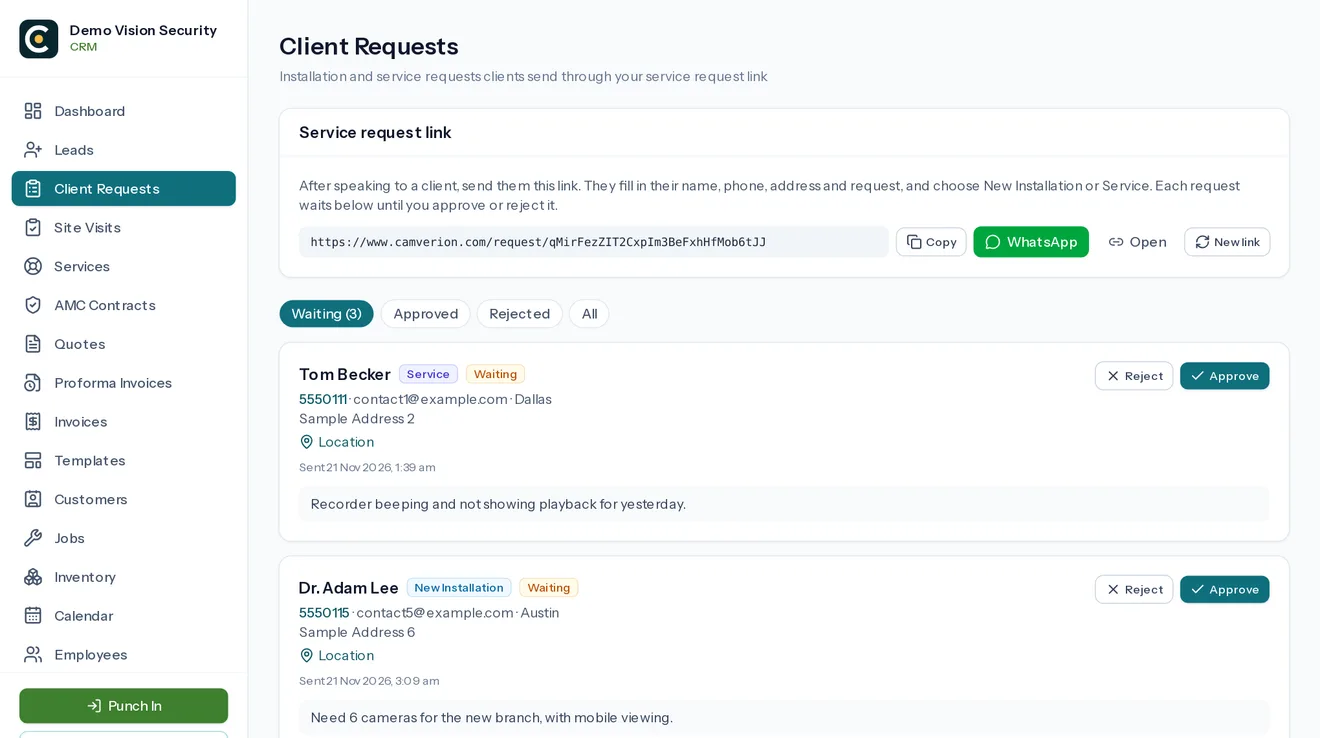
When an inverter shows a grid fault or generation drops, customers want someone quickly. Send them your service request link: they describe the problem, paste their Google Maps location, and the request becomes a service call when you approve it.
- Your own link and form with your company name and logo
- Google Maps location required, so the technician goes straight to the site
- Approve a new installation into Leads, or a fault into Leads and Services in one click
- Every admin is emailed from your own company mailbox, once you add it
- Reject spam without it ever reaching your leads
Inventory, when you want it
Stock that is charged to the job that used it
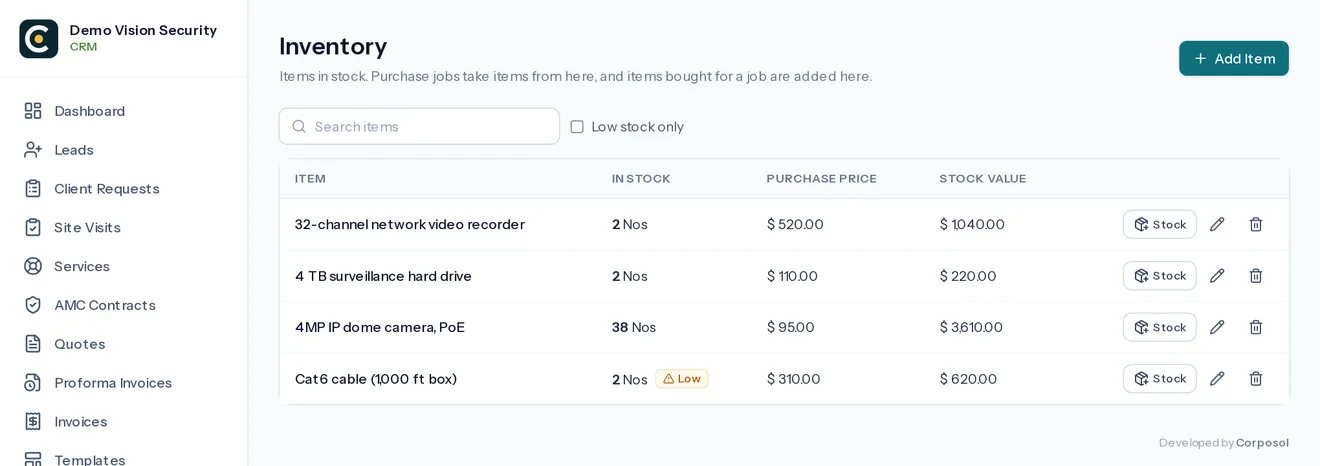
Switch on Inventory to keep panels, inverters, batteries, mounting structure and cable in stock. Each project takes what its proforma needs, crews record what was used, and leftover cable and structure go back into stock.
- Stock bought and corrections after counting, each with a note
- Low stock warnings for the items you use on every job
- Items taken from stock or bought new on each purchase job
- Unused items go back into stock when the installer records what was used
- Off by default: companies that do not hold stock never see it
A rooftop solar enquiry, from the first call to O&M
How a typical solar and inverter project moves through the software.
-
1. Enquiry
A homeowner asks about a 5 kW system with battery backup. You add the lead and set a follow-up.
-
2. Roof survey
A surveyor checks the roof, shadow and meter, adds photos and captures the location.
-
3. Quote
You quote panels, inverter, battery, structure and installation from your catalogue and send it on WhatsApp.
-
4. Installation
The proforma creates the purchase and installation jobs. Panels come out of stock; the crew presses Start Work on the roof.
-
5. Commissioning
Net metering and commissioning are finished, the job approved, and the invoice made from the proforma.
-
6. Service and O&M
The inverter shows a fault a year later. The customer uses your link, and the O&M contract keeps every cleaning visit on schedule.
A good fit for
Teams of about 2 to 50 people, with an office and staff working at customer sites. Every plan includes every feature.
- Rooftop solar installers and EPC companies
- Inverter and battery dealers with service teams
- Solar water heater installers
- Companies offering solar O&M contracts
- Commercial and industrial solar contractors
- Home UPS and inverter service businesses
- Solar dealers who also do electrical work
- Teams of 2 to 50 people
Questions about solar and inverter installation business software
What is solar EPC software?
It is software that runs the business side of a solar engineering, procurement and construction company: enquiries, site surveys, quotes, purchase and installation jobs, invoices, stage payments, service visits and staff.
Does CamVerion design solar systems or track generation?
No. It does not do shading analysis, system design or inverter monitoring. You keep using your design and monitoring tools, and use CamVerion to run the enquiries, projects, payments and service.
Does it handle government subsidy applications?
Not directly. You can record subsidy and net-metering steps as jobs with their own status and notes, so nothing is forgotten, but the applications themselves are made on the official portals.
Can we schedule panel cleaning visits?
Yes. Set up an O&M or cleaning contract as a maintenance contract, choose how often to visit, and each visit becomes a service call for the technician a week before it is due.
How much does it cost?
Plans start at $49 a month for up to 10 users, with a one-time setup fee. Every plan includes every feature.
Does it suit inverter and battery dealers, not just rooftop solar?
Yes. Inverter and battery installations, replacements and service calls run through the same leads, quotes, jobs and service calls, with AMCs for regular checks.
Can I track my installation crews on site?
Yes. Crews punch in with location and press Capture Location on each roof, and Start Work on each job records the hours. Admins see it all on the Locations and Job Hours reports.
Can I keep stock of panels and inverters?
Yes, with the optional Inventory module. Each project takes items from stock, and unused items go back in.
Further reading for solar and inverter business owners
Who it is for
Also built for these installation and service businesses
Different trades, the same journey: an enquiry, a site visit, a quote, the installation, the invoice and years of service. One field service management system runs it for all of them.
- CCTV installation software Surveys, multi-camera quotes, installation jobs and service calls. See how it works
- Security installation software Alarms, access control, intercoms and fire alarm work. See how it works
- Smart home installation software Smart home projects, room-by-room quotes and support. See how it works
- AC and HVAC installation software AC installations, service visits, AMCs and breakdown calls. See how it works
- RO water purifier installation software Purifier installations, filter changes, AMCs and service calls. See how it works
- AV installation business software Equipment quotes, AV projects, calibration and support. See how it works
- Network installation business software Structured cabling, Wi-Fi projects and support calls. See how it works
- Electrical contractor software Wiring projects, panels, EV chargers and maintenance call-outs. See how it works
- IT and computer service business software Computer AMCs, printer and laptop repairs, office IT support. See how it works
- Appliance repair business software Repair calls, warranty jobs, spare parts and service centres. See how it works
- All industries Can't find your industry? Tell us how you work, and we will set it up or build it for you. See all industries
Run your next installation job from one place
Sign up with your company details and pay online. Your account opens as soon as you have paid, and you can add your team.